THIS PAGE IS:
On this page, Go To: USB converter product Descriptions
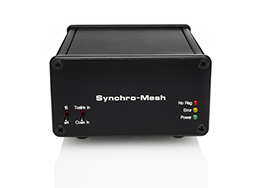
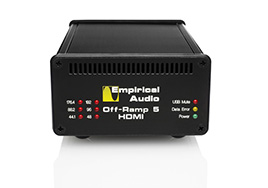
USB Off-Ramp Turbo 2
USB Freeway 2
Off-Ramp I2S
Freeway I2S
Off-Ramp Wi-Fi
Off-Ramp and Freeway Battery Power Source (BPS)
Poor-Mans Battery Supply (PBS)
Off-Ramp/Freeway Installation Instructions
Recommended Player and Ripper Software
Recommended configurations for Foobar/Off-Ramp

Prices

Killer Combo's (best rated first - prices include new DAC's):
~$8300 1) Spoiler USB TubeDAC with Pace-Car reclocker - unbelievable clarity and layering, great bass
$5999 2) Spoiler USB TubeDAC - deep detailed soundstage, incredible tight bass
$3935 3) Off-Ramp I2S driving Benchmark DAC-1 with I2S, Turbomod, dual op-amp
upgrade - Very detailed and dynamic, good layering
$3890 3) Off-Ramp I2S (Northstar) driving modded Northstar 192 DAC - smoother vocals than Benchmark
$4035 4) Off-Ramp Turbo 2 S/PDIF driving Benchmark DAC-1 with Turbomod, Superclock,
dual op-amp upgrade, BNC/Trans. upgrade
$3225 5) Benchmark DAC-1 USB with Turbomod, Op-amp upgrade and Superclock - Good
detail and layering. Upsamples everything to 110kHz $$$
$2885 6) Off-Ramp I2S driving Benchmark DAC-1 with I2S, minimum mods and upgrade $$$

  Professional Reviews

"the Vecteur (Transport) was definitely inferior to the computer and Off-Ramp I²S,
with reduced information, dynamics and focus."

"My amp/speaker combination was clearly taking a beating, which it had not seen
the likes of before."

"The Empirical setup had the strengths of cleaner, lower distortion sound with
greater detail and macro dynamics. Vocals and instruments in the front stage were
very slightly clearer, too."

"I must admit that SRC Resampler, interfacing it with the Benchmark DAC-1 with
its upsampling circuitry removed, has turned my head around about upsampling."

"The Empirical Audio computer playback system unraveled what was really a very
sophisticated interplay between the musicians that I had never been able to fully
appreciate before."

"Based on the fact that the computer/Off-Ramp I²S/Benchmark bettered the
Vecteur/Benchmark when playing via S/PDIF, and that it outperformed the
Empirical Audio modified Northstar transport in my friend's system, I would
strongly recommend the Empirical Audio Off-Ramp I²S solution to computer audio."

"I would proffer that Steve Nugent is indeed on the cutting edge of computer
audio playback and at the cusp of a true breakthrough in computer audio playback."

Stephen Marsh
6-moons

Complete review:
http://www.6moons.com/audioreviews/empirical/offramp.html

"the Off-Ramp will enable you to extract the entire sonic splendor that your DAC
has to offer. In particular, the I2S converter is a revelation and it left me wishing
that more DACs were fitted with I2S inputs."

"Once you succeed at hooking up the I2S converter to the DAC, you may not be
able to return to any other sort of interface...the combination (P-3A and Off-Ramp I2S)
was lethal; that is, killer."

"I recommend the BPS accessory without qualification."

Jules Coleman
American Wired


  Product Descriptions
  USB Off-Ramp Turbo 2 and USB Freeway 2

These are USB to S/PDIF coaxial converters which allow you to connect your computer
to your high-fidelity audio system and play music stored on your hard-disks. These
converters do not compromise sound quality. In fact, the sound quality is generally
superior to a CD player or even an expensive Transport and outboard DAC. What is
required in order to use these converters is a Digital to Analog Converter or "DAC".
The Converter connects between your computer and your DAC. A USB cable connects
from your computer to the converter and then the converter plugs into your DAC.
Your DAC then generates analog left and right channels to drive your audio system.
The quality of the DAC is critical if you want high-quality playback. Here are some
features in common with the two USB converters that we offer:

  • USB to S/PDIF Coaxial converters
  • Custom circuit-board designs - not a mod
  • All have lower jitter than any stock or even modded Transport
  • AES/EBU versions also available
  • Standard with a short S/PDIF coaxial cable permanently attached with strain-relief
  • Each comes with licensed copy of SRC, the best 24/96 upsampler on the market
  • Each comes with an 8 foot USB cable
  • All will pass 16/44.1kHz, 24/96kHz, MP3 and iTunes unmodified files
  • AC3 support is available using the M-Audio driver
  • Works wonderfully with both PC and MAC

Our USB converter products use circuit boards of our own design which are hand
assembled using silver-loaded solder for best sound quality. We use circuit topologies
parts selection and board stackup configurations that result in the lowest noise signals
and the cleanest power of any high-end manufacturer. Even boards designed by large
companies do not use these techniques because they do not lend themselves to
automated assembly or low cost. We consider cost no object. Only performance matters.
We take extreme care in every board design to optimize every aspect, including: power
delivery, signal integrity, speed, electrical noise, isolation, parts selection, ESD and
transmission-line effects. It is this care and design knowledge that enables our designs
to be superior performers.

Our USB converters will outperform even the best Transports you can buy, particularly
with 24/96kHz on a PC or iTunes with a MAC. No other cables required, just a PC with a
USB 1.1 or 2.0 interface and a DAC with a coaxial S/PDIF input. It is recommended that
you dedicate a computer or laptop to the task, particularly when using SRC upsampler.

Off-Ramp I2S

The Off-Ramp I2S converts USB to I2S interface, which is a high-performance DAC
interface available on certain DAC's. This is the native interface for most D/A chips, so
this interface eliminates S/PDIF conversion completely and the jitter that this adds.
It is the highest perfomance DAC interface available. The interface has 4 signals and
4 ground returns and uses either Mini-DIN connector or RJ-45 the same as Ethernet
local area networks use. Some stock DAC's come with I2S or as an option, including:

  1. Audiologic
  2. Perpetual Technologies
  3. Zanden
  4. Northstar
  5. April Music stello DA100 Signature

For a few select DAC's we can add the I2S interface, including:

  1. Benchmark DAC-1
  2. Lite DAC-60 - only available in the Spoiler DAC

Hear the difference that our I2S interface makes. It's a notch above everything else.

Off-Ramp Wi-Fi

The Off-Ramp Wi-Fi is a wireless converter based on the board-set from the AirPort
Express. It works only with iTunes on a PC or MAC. Sounds the same with either
platform. Since this is network-based, you will not have problems with pops and ticks.
There are two versions available: S/PDIF or AES and I2S output. The power supply and
output boards are new designs by Empirical Audio. Superclock clocks the data for very
low jitter. It can be powered by the included AC adapter or by one of our Off-Ramp
battery power supplies. The Off-Ramp Wi-Fi can stream 16-bit 44.1kHz data files, not
24/96. All files are converted to Apple Lossless before being transmitted to the Off-Ramp
Wi-Fi. The sound quality of the Off-Ramp Wi-Fi is excellent and much improved over the
stock AE. It will outperform all other stock Wi-Fi and USB converters. The I2S interface
option allows it to have even lower jitter and connect to our Benchmark DAC-1 with I2S
interface as well as other I2S DAC's.

Features Comparison Table:

Feature Off-Ramp I2S Off-Ramp Turbo 2 Off-Ramp Wi-Fi Freeway 2
Output I2S S/PDIF S/PDIF S/PDIF
Jitter Performance Best Better Good Better
Empirical PCB's X X PS and output X
Superclock4 X X X  
Price $990 $990 $1200 $650

Media Performance
We have compared several formats and players on a PC and the following are our
performance ratings:

Performance Rank Format Sample Rate Player
1 .wav 24/96 Foobar2000 0.8.3 or Jriver
2 .wav 24/44.1 Foobar2000 0.8.3 or Jriver
2 Apple Lossless 24/44.1 iTunes
3 AAC 24/44.1 iTunes
4 MP3 24/44.1 Foobar2000

PC versus MAC
We compared a PC laptop to a G4/G5 powerbook and these were the findings in A/B tests
using USB: The MAC at 24/44.1 is virtually identical to PC at 24/44.1 (PC unmapped with XP).
Both PC (SRC) and MAC have good upsampling to 24/96.


  Off-Ramp Wi-Fi
 
  Our one-box solution for wireless audio utilizes the boards from the Apple
AirPort Express combined with two of our own board designs and a Superclock module.
The Off-Ramp Wi-Fi uses iTunes only as the player. Sounds identical driven from
PC or MAC. Sound quality with S/PDIF output is similar to our Off-Ramp Turbo 2
USB converter at 44.1kHz sampling rate. Very low jitter with excellent dynamics,
focus and detail rendering. Beats all transports hands-down. Bit-perfect playback.

The repackaged wireless device contains:

  • Upgraded switching and linear power supplies on our own board designs
  • Modded Superclock
  • New output circuits for S/PDIF, AES/EBU or optional I2S on our own board designs

Features and capabilities:

  • iTunes driven only
  • Wireless 80211.b or 80211.g operation
  • Plays .wav, Compressed iTunes, Apple Lossless and MP3 formats
  • Will not pass 24/96
  • PC or MAC can drive it
  • Optional BPS or PBS battery supplies are compatible

Break-in:

Requires 2-4 weeks continuous run-time to break-in. May be somewhat congested
sounding at first.

Options:

  1. S/PDIF captive output cable with RCA plug - standard
  2. S/PDIF captive output cable with BNC plug
  3. AES/EBU captive output cable with XLR
  4. S/PDIF captive cable with Nextgen Plug (requires matching jack on your DAC)
  5. S/PDIF output jack - RCA
  6. S/PDIF output jack - Nextgen (requires matching plug on your digital cable)
  7. S/PDIF output jack - 75 ohm BNC
  8. AES/EBU XLR jack
  9. I2S Jack - RJ-45

Included:

  1. Off-Ramp Wi-Fi
  2. 12VDC wall-wart power supply with US, UK, Australian or Schuko plug

Battery Supplies
Optional BPS and PBS battery supplies work with the Off-Ramp Wi-Fi as well, improving
the sound quality even more.

Airfoil
This application allows you to play more formats and use other players than iTunes
wirelessly. It also eliminates the "gaps" between tunes that can unlock some DAC's.

http://www.rogueamoeba.com/airfoil/windows/

  Off-Ramp Wi-Fi Options and Pricing

USB Off-Ramp Wi-Fi is $1200 plus shipping

Options pricing:

  1. Captive S/PDIF coaxial cable with copper Eichmann Bullet-RCA Plug (standard)
  2. Captive S/PDIF coaxial BNC output instead of Bullet-plug (75 ohm Neutrik BNC)
    - no charge
  3. AES/EBU captive coaxial cable output instead of S/PDIF coax - $150 additional
  4. Captive S/PDIF coaxial cable with Nextgen RCA plug - TBD
  5. RCA jack instead of captive cable - $15 additional
  6. Nextgen RCA Jack instead of captive cable - TBD
  7. BNC Jack instead of captive cable - $15 additional
  8. AES/EBU jack instead of captive cable (must also have option 3) - $25 additional
  9. I2S output and separate I2S cable - adds $300
  Off-Ramp Wi-Fi Reviews

http://forum.audiogon.com/cgi-bin/fr.pl?icomp&1149558729&openflup&41&4#41


  USB Off-Ramp Turbo 2
 
  The USB Off-Ramp Turbo 2 is a true audiophile USB to S/PDIF converter. This
converter will pass most audio formats, including MP3, .wav @16/44.1,
.wav@24/88.2, .wav @ 24/96 and iTunes. AC3 is also possible by requesting the
M-Audio driver.

Low-Noise External Power Supply
The external power supply is extremely low-noise and precision voltage regulators
are used throughout. There is no voltage drop or noise from the computer to affect the
digital output. Only one LED is powered from the USB cable.

Precision-Tuned S/PDIF Coaxial Interface
The short attached S/PDIF cable is low-loss Belden 1695A 75 ohm coax with an Eichmann
bullet plug RCA connector. The S/PDIF output has extremely fast risetimes and the
output impedance is precisely matched to the attached Belden cable. Since the output is
tuned to the attached cable, the reflections are minimized. This is superior to most
systems where the cable impedance is an unknown, and may vary a few ohms from
the ideal 75 ohms. Since reflections on the cable are virtually non-existant, the signal
that the DAC receives is as time-accurate and jitter-free as possible. Excellent captive
XLR cable is also an option as additional cost.

Galvanic Isolation
The converter galvanically isolates the computer from the audio system, preventing any
ground-loops and their associated hum.

Precision Low-Jitter Clock
The clock inside the converter is a modified Superclock, which reduces jitter even more.

USB Cable Length
The USB cable can be 5 meters without buffering. Longer cables do not affect audio
quality. This can be extended another 10 meters with a USB active HUB.

Break-in
Requires 2-4 weeks continuous run-time to break-in. May be somewhat congested
sounding at first.

Installation
Using our new "driverless" firmware*, the Off-Ramp Turbo 2 is truly plug-and-play. There is
no driver to install and it works with WinXP, Vista and MAC. Changing from 16/44.1 to
24/96 or any other sample-rate is transparent. Ticks and pops are minimized due to using
the low-level Windows audio kernel. Kmixer is automatically bypassed with XP. Bit-perfect
output.

Performance
The USB Off-Ramp Turbo 2 sounds unlike any Transport you have owned. The imaging
and focus is unparalleled because of its low jitter. With Foobar or iTunes players, the sound
clarity is simply amazing. Once you have heard this, you will probably never listen to a CD
again. The dynamics and slam-factor increases significantly and the air is uncanny. Both
24/96 (24/96 compatible DAC required) using a PC and iTunes on a MAC are significantly
better than the best modded CD Transport.

Included:

  1. Off-Ramp Turbo 2
  2. 10 foot USB cable
  3. 12VDC wall-wart power supply with US, UK, Australian or Schuko plug
  4. CDROM w/SRC** 24/96 up-sampler, DirectSound2 plug-ins for
    Foobar2000

*Firmware licensed from Centrance
**SRC licensed from Mega Nerd Pty Ltd., Australia

Battery Supplies
Optional BPS and PBS for our other Off-Ramp products work with the Off-Ramp Turbo 2
as well, improving the sound quality even more.

Recommended accessories:

  1. Belkin Gold USB cable: http://www.amazon.com/exec/obidos/tg/detail/-/B000067RKF/ref=ord_cart_shr?%5Fencoding=UTF8&m=A2YLYLTN75J8LR&v=glance
  2. Cryoparts USB cable: http://www.cryo-parts.com/usb_cable.html
  USB Off-Ramp Turbo 2 Options and Pricing

USB Off-Ramp Turbo 2 is $990 plus shipping

Options include:

  1. Captive S/PDIF coaxial cable with copper Eichmann Bullet-RCA Plug (standard)
  2. Captive S/PDIF coaxial BNC output instead of Bullet-plug (75 ohm Neutrik BNC)
    - no charge
  3. AES/EBU output instead of S/PDIF coax - $150 additional
  4. RCA jack instead of captive cable - $15 additional
  5. AES/EBU jack instead of captive cable (must also have option 3) - $25 additional
  6. Nextgen copper 75 ohm plug on captive cable - $120 additional
  7. Nextgen copper 75 ohm jack - $60 additional
  Reviews:

http://forum.audiogon.com/cgi-bin/fr.pl?icomp&1206425942&read&3&4&

http://www.audioasylum.com/forums/pcaudio/messages/2/22500.html

http://www.audioasylum.com/forums/pcaudio/messages/2/22507.html

http://www.audiocircle.com/circles/index.php?topic=34176.msg303783#msg303783

"This is one terrific "transport"... With the SRC upsampling to 24/96 the Turbo 2 now
handily beats the Meridian 800.  There's more air, more space, and a more "relaxed"
gestalt to the music.  It's obvious within the first few seconds, and it's very seductive."

Brucemck
Dec. 2006

http://www.audioasylum.com/forums/pcaudio/messages/15674.html

"I have been VERY happy with the new Off-Ramp Turbo 2. It has really helped define my
soundstage."

hifiharry
Oct. 2006

http://www.audioasylum.com/forums/pcaudio/messages/7731.html

"I have read some good feedback about empirical audio and his work in mods of pc audio.

After some emails (Steve from Empirical is also a nice person to talk with) and spending
some $ a new black box comes to me, the Off-Ramp Turbo from Empirical Audio
and......Before I go on, I want to tell you that I live in France and have nothing to do
with any of these companies or guys , i don't even know what they look like.

Now I can say that a pc based source is better than cd drive source.. in many ways,
definition, peaceful sounding, finest treble and incredible deep and tight bass. It's a
better sound than I have ever heard with my audio aero. (my Off-Ramp goes on battery)

My conclusion is:

If you believe you have a good dac, don't be afraid to try this magic box from
Empirical Audio ($990) and use it with a battery pack if you can."

Rohan
November, 2005

http://www.audiocircle.com/circles/viewtopic.php?t=22761&highlight=

"Today, using Foobar, ASIO, Flac on my laptop-->Empirical Offramp Turbo (or Freeway),
comparing same songs, I feel PC audio as transport competed full-on successfully with
UDP-1 as transport. This is actually quite an accomplishment b/c IMO UDP-1 makes a
better transport than a CDP. It had outperformed Empirical Modded Sony 7700 as
transport previously. There were subtle differences between PC and UDP-1, but I
wouldn't call either "better." With both, there was unhyped, superior detail resolution.
UDP with maybe a hair more natural treble control but PC with better bass control IMO."

"Between Offramp Turbo and Freeway (no superclock3), there were differences but not
that large. Offramp Turbo has a bit more focus to images and precision, which made
images a bit more compact and denser. Freeway has a bit larger, less focused images
that some actually commented sounded more "natural." I personally could live with either."

"The big surprise came when I hooked up my DIY 12V SLA battery PS with reservoir caps
and nice wire instead of the supplied separate PS to Offramp Turbo and Freeway. The
improvement with battery PS was a lot huger than difference between Offramp Turbo
and Freeway and was immediately and unambiguously obvious. Music just emerged from
incredibly serene, calm background sounding both crisper and more natural at the same
time, which is usually mutually exclusive."

"When EA DAC1 was fed by Offramp Turbo or Freeway with battery PS, however, I felt
we had the best sound of the day. Music was simply delineated, resolved, with extreme
refinement and power at the same time. Especially with the battery, I had the
"after-the-rain fresh-air" feel."

Jon L.
November, 2005

http://www.audioasylum.com/forums/pcaudio/messages/7478.html

"I've heard: squeezebox, u24, brick , ... and they all sound good , sometimes very
good like the BRICK from wavelength audio, but for the moment the best result
I have found was a PC based system with foobar and ASIO plugin with Offramp Turbo
USB-S/PDIF converter to my chord 64 dac.
"

opam
Oct, 2005

http://www.audiocircle.com/circles/viewtopic.php?t=17736

"This is a quick review of Empirical Audio’s Off-Ramp USB converter, with “Turbo”
upgrade. The Off-Ramp is used to get a superior digital audio stream from PC
hard drive storage. In my configuration, the Off-Ramp Turbo sits between a PC
used as a media server and a Benchmark 1 DAC. The DAC in turn goes to a
Sonic Frontiers Line 3 preamp, Manley Snapper monoblocks and Joseph Audio
RM25si speakers. I have tried various ways of retrieving digital audio. Started
with a simple Chaintek PCI audio card, then an RME Digi96/PAD audio card, then
the Emprical Audio Off-Ramp after hearing it in Vegas in January at either CES
or THE Show. Each of these changes was an “order of magnitude” improvement.
If the RME got me to the equivalent of a good transport, the USB Off-Ramp is
actually better. I have compared: CD Player audio out (Marantz SA-14), CD
Transport to Benchmark DAC1 (coax) (using the Marantz as transport) and PC
to Empirical Audio Off-Ramp (TurboMod) to DAC1. The Off-Ramp is the “clear”
winner. Soundstage is wider, there is more separation and air between instruments,
vocals are more present, detail is almost scary. Truly the best CD based sound
I’ve ever heard. Kudos to Steve for an excellent product and pioneering work in
realizing the potential of PC audio."

Nick M.
March, 2005

http://www.audiocircle.com/circles/viewtopic.php?t=18767

"About 3 weeks ago I began breaking in an Off-Ramp Turbo, and have over 500
hours on it. I have just finished comparing this USB input to SPDIF input on my
system. Overall, I wouldn't call it a contest. But here are some thoughts.

Cyrus Chestnut - Revelation - Lord, Lord, Lord
The USB passes more low level information, with background sounds easier to
identify; there is some humming in this track. The piano note attack is cleaner
and there is more resonance to the note, a better sense of the sound as it progresses
through the note - beginning, middle, and end. Instruments are more clearly defined
and separate. There is more texture to the bass strings.

Bill Frisell with Dave Holland and Elvin Jones - Outlaws
The soundstage w/USB is much deeper and wider, with much more instrument
resonance. The bass lines are cleaner and the cymbal sounds hang in the air.

Roy Hargrove - Public Enemy - End Of a Love Affair
Off-Ramp provides a rounder trumpet sound, and more texture is evident in the
fine brush work.

Eagles - Hell Freezes Over - Get Over It
Noticeably more impact to notes and a more authoratative floor to the music.
The tom-toms in the middle of this track have more air around them and more
reverberation. USB provides a more enveloping sound.

Dallas Wind Symphony - Pomp and Pipes - Vikings From Finland Suite
Much more hall realism, soundstage width/depth, reverberation, more immediacy.
There is greater bass impact and it is easier to discern the note attack on brass
instruments.

Ray Charles - Genius Loves Company - Fever
The Off-Ramp version is more involving with more drive from the rhythm section.
Voice inflection is more apparent for both Natalie Cole and Ray Charles. A more
tangible presentation.

Gene Harris - Best of the Concord Years - Captain Bill
Cymbals come in early in this track in the background, and are less fuzzy w/USB
and more clearly cymbals rather than just a high frequency sound. The intonation
of notes for the sax is clearer.

There really isn't a quality that wasn't improved going from SPDIF to Off-Ramp.
It's easier and more enjoyable to listen at low levels because the sound remains
clear, and easy to listen at high levels because the sound isn't irritating or grating.
The SPDIF is not harsh either and sounds fine until you make a comparison, then
it seems you sucked out much of the life of the music.

I was worried when I first hooked up the USB. The sound was harsh, edgy, and
all over you. It was better at 200 hours and better at 300 hours. The V-Caps
must want a lot of time to settle in. So far, I prefer to have Foobar set to 16bit
with no resampling, and the Transit then set to 16bit. SPDIF out was clearly
better than the Meitner CDD transport that I was using before, but the USB is
a hands down winner to digital cable.

I don't think you would be disappointed in the performance of the Off-Ramp.
It provides an involving, clear window across different types of music."

Stephen C.
March, 2005

http://www.audiocircle.com/circles/viewtopic.php?t=20003

"How do I like the Off-Ramp? It--insert appropriate f-word--rocks. The soundstage
is huge with pinpoint imaging. Everything sounds utterly natural and accurate.
I was listening to Einsturzende Neubauten--a band that uses everyday items in
their music, ie twigs, drills, and cigarettes. In the song I played they use some
sort of stick for the drumbeat. It sounded like the drummer was standing in my
living room tapping against my wall. Every micro-detail of the music was present
in all of its glory. The music takes on an amazing texture I've never experienced
before. It's as if the sound is filling up every atom of space in the room. The
music's in front, behind, above and below. I felt completely submerged in it, or
what I imagine being submerged in music would feel like. Kind of like sitting at
the bottom of a pool's deep end, minus the annoying ear pressure. It's hard to
do justice to how 3-D everything is. And the bass, oh the bass. It has intense slam
and is so tight my eyes well-up just writing about it. The vocals sound like the
singer is whispering in my ears. It's like some sort of intimate reality hidden in
the 0's & 1's of the cd is revealed with the Off-Ramp. It's that special. Is it a
religous experience? No, but it does give me the chills.

I a/b'd the Off-Ramp against the Modwright CI DAC/Sony 7700 combo. Everything
I described above is completely lacking or painfully diminished with the 7700 setup.
It sounds good, but the magic is gone. The cold harsher world of digital emerges.
Bass-lacking. Detail-blurred. Soundstage-muddled. Vocals-coming from another
room. Do I dare keep this playing? No.

I never had the chance to directly a/b the Off-Ramp against the 999es so take
my comparison with a grain of salt. I really did love my 999es--might of just been
the glowing tubes. I haven't read a bad thing about it, and I'm not going to be the
one to write the 1st negative comments I've seen. Does the 999es compare with
the Off-Ramp? Probably, but like I said above, I've never experienced music like I
have with the Off-Ramp/CI DAC combo. And it's a <$1500 package. I honestly
believe that no CD playback system can compare with the Off-Ramp PC audio setup.
They're 2 different breeds, and I bet you won't have a hard time guessing which
one I'm sticking with."

gongos
July 2005


USB
Freeway
USB Freeway 2

The USB Freeway 2 is identical to the Off-Ramp Turbo 2, except no Superclock inside.
Instead, a low-jitter SMD monolithic clock is used.

  USB Freeway 2 Options and Pricing

USB Freeway 2 is $650 plus shipping

Options include:

  1. Captive S/PDIF coaxial cable with copper Eichmann Bullet-RCA Plug (standard)
  2. Captive S/PDIF coaxial BNC output instead of Bullet-plug (75 ohm Neutrik BNC)
    - no charge
  3. AES/EBU output instead of S/PDIF coax - $150 additional
  4. RCA jack instead of captive cable - $15 additional
  5. AES/EBU jack instead of captive cable (must also have option 3) - $25 additional
  Reviews:

http://www.head-fi.org/forums/showthread.php?t=268934

"Freeway 2 is VERY MUSICAL. The sound is VERY focused and even cleaner
compared to Audigy 2 NX, yet surprisingly laid back and musical. It carries
emotions in it ... it’s got VERY QUIET background and pretty addicting. The
smooth liquid sound of Freeway 2 really startled me as I don’t get this with
Audigy 2 NX. It’s also able to produce all the details and all the decay. The
midrange is very round with high resolution.

All in All, I wouldn’t hesitate to recommend Freeway 2 to anyone."

jlingo
November 2007

http://www.audioasylum.com/forums/pcaudio/messages/9820.html

http://www.audiocircle.com/circles/viewtopic.php?t=15055

Prelim impressions are that the hard-drive solution (USB Freeway) sounds WAY
different from any CD playback I've heard. (USB Freeway) sounded WAY
smoother, devoid of etch/grit/digititis. Doesn't sound like a CD is playing. However,
as Mad Dog pointed out, there also seemed to be less "texture" to the music,
especially vocals, which may be a side effect of scrubbing off any etch or digital
artifacts. On brightish CD's (most commercial) (USB Freeway) really sounded great
and natural. On darkish or less-detailed CD's, actual CD may have sounded like it
had more "life" and flamboyance.

Jon L.
December 2004

http://www.audioasylum.com/forums/pcaudio/messages/1944.html

I have been waiting for the unit to "break in" to post my impressions as I have only
30 hours of use so far. However, my initial impressions are very favorable. I'm using
a dedicated custom music computer- EAC-Flac-Foobar- Empirical audio USB Freeway-
Modwright level I Perpetual Tech P1A/P3A - FT audio passive pre-Yamamoto 45 amp-
Cain and Cain Single Horns.

Clearly this system is far superior to my old CD transport(Modwright Sony 333 ES SACD).
After experiencing computer playback I doubt I will ever use a CD transport again. In
fact I sold my CDP today. I can't really tell you how the Freeway compares to other
options as I have very little experience. The concept of the USB Freeway just made
sense to me in terms of using USB to output the digital signal therfore removing the
signal from the electronically noisy computer environment. I have compared the S/PDIF
output from my motherboards soundcard to the USB Freeway and the Freeway is clearly
better the better option. However,I understand the digital output from motherboards is
often of poor quality so perhaps this isn't a very fair comparison.

I did have the good fortune to be able to demo the outstanding VRS Audio system as
the source in my stereo. As you may know the VRS uses a Lynx sound card for its DAC.
I belive the Lynx sells for about $700. I haven't performed an A-B-A comparison between
the VRS and my computer system but I belive the Freeway /Perpetual Tech combo is
very close to the VRS.

Bob Z.
January, 2005


  Off-Ramp I2S
 
  USB connector and LED's Power and I2S connectors (RJ-45)
  The Off-Ramp I2S is a breakthrough in Computer Audio converters. Even better than
the Off-Ramp Turbo 2. It converts USB to I2S, the native interface for most DAC chips. This
simplifies the digital path by eliminating the standard S/PDIF interface or “Digital Coax”
interface and associated digital cable. Both of these add jitter to the digital audio signal.
This is a custom-designed USB product. Not a mod.

Unprecedented Low-Jitter Performance
The design of the converter including a modified Superclock delivers an extremely low
jitter digital signal. The clarity and focus that results is nothing short of amazing. It’s not
like CD’s or like vinyl. It has the smoothness of vinyl, but with better dynamics and quieter
background. It has the dynamics of CD’s, but without the high-frequency sibilance and
harshness. It is simply the most live, dynamic, extended and clear sound that you can get.

Precision Low-Jitter Clock
The clock in the Off-Ramp I2S is a custom-modified Superclock, which reduces jitter
significantly.

Compatibility
The Off-Ramp I2S is designed to work with DAC’s that have I2S interfaces, including:

  1. Benchmark DAC-1 with modded Empirical I2S interface
  2. Northstar 192
  3. Northstar Extremo
  4. Perpetual Technologies P-3A
  5. Audio Logic
  6. DEQX with Empirical I2S interface
  7. April Music stello DA100 Signature

We highly recommend the I2S mods for the P-3A DAC and Northstar 192 DAC
to optimize performance with the Off-Ramp I2S.

Low-Noise External and Internal Power Supplies
The wall-wart power supply is extremely low-noise. Battery power is even better and offered
as an option. Precision voltage regulators and Black Gate capacitors are used internally.

USB Cable Length
The longest allowable passive cable (5m) can be used with the Off-Ramp I2S with no audible
degradation. This can be extended another 10 meters with a USB active HUB. USB1.1 or
USB2.0 interfaces are required on the computer.

Break-in
Requires 2-4 weeks continuous run-time to break-in. May be somewhat congested
sounding at first.

Installation
Using our new "driverless" firmware*, the Off-Ramp Turbo 2 is truly plug-and-play. There is
no driver to install and it works with WinXP, Vista and MAC. Changing from 16/44.1 to
24/96 or any other sample-rate is transparent. Ticks and pops are minimized due to using
the low-level Windows audio kernel. Kmixer is automatically bypassed with XP. Bit-perfect
output.

Northstar Version
For the Northstar DAC, a modified 5V output version is available for $150 more. The 3.3V
output version works, but the 5V version is more compatible with the Northstar 192 DAC
and definitely sounds better. A "reverse I2S" cable comes with all Northstar Off-Ramp I2S.
You can also purchase the superior Revelation Labs Cryo Silver Reference in reverse
configuration for Northstar from us (not available from Revelation Labs).

Included:

  1. Off-Ramp I2S
  2. 10 foot USB cable
  3. 1 foot I2S cable compatible with your DAC
  4. 12VDC wall-wart power supply
  5. CDROM w/DirectSound2 and SRC** 24/96 up-sampler plug-ins for
    Foobar2000

Battery Supplies
Optional BPS and PBS for our other Off-Ramp products work with the Off-Ramp I2S as well,
improving the sound quality even more.

*Firmware licensed from Centrance
**SRC licensed from Mega Nerd Pty Ltd., Australia

Recommended accessories:

  1. Belkin Gold USB cable: http://www.amazon.com/exec/obidos/tg/detail/-/B000067RKF/ref=ord_cart_shr?%5Fencoding=UTF8&m=A2YLYLTN75J8LR&v=glance
  2. Cryoparts USB cable: http://www.cryo-parts.com/usb_cable.html
  Off-Ramp I2S Pricing

Off-Ramp I2S is $990

Off-Ramp I2S Northstar version is $1140

Revelation Audio Labs 0.5m Cryo Silver Reference I2S cable
for Off-Ramp to Northstar DAC's (reverse cable) - $369.00

  Reviews:

http://www.audiocircle.com/circles/viewtopic.php?t=28082

"If you enjoy your standard DAC-1 on a PC, you'll be in absolute disbelief between the
unmodified DAC-1 and the Offramp I2S + modified DAC-1."

http://www.audiocircle.com/circles/viewtopic.php?t=24228&highlight=

"So far it is the best digital I've ever had in my system."

"It does not sound like a CD, it's much better. It does not sound like LP's either, as the
backround is too quiet for that.

It's pretty interesting, I'm listening to albums where in the past I would skip a lot of songs,
now I'm so engrossed that I listen to a lot of songs I would just skip over and not even
realize until after the CD is over that that has happened.

Most of the increase in fidelity manifests itself in the soundstage and layering improvements."

Rob C.
January, 2006


  Freeway I2S

The Freeway I2S is identical to the Off-Ramp I2S, but without the Superclock. Instead, it
has an excellent SMT low-jitter oscillator. The Freeway I2S can be upgraded to Off-Ramp by
adding the Superclock later.

  Freeway I2S Pricing

Freeway I2S is $650 plus shipping


BPS Off-Ramp and Freeway Battery Power Source (BPS)

This battery power supply provides up to 24 hours of play time on clean battery power. It
improves the focus and eliminates a layer of power grunge from the sound. If you use it
16 hours, it will be completely recharge after an overnight recharge cycle. It also uses the
AC adapter that came with your Off-Ramp or Freeway, so you can switch from battery to
AC power at any time. A LED "gas-gauge" indicator shows you how much charge is left in
the battery, so you know when you must switch back to the AC adapter and allow the battery
to charge.

Feature list:

  1. LED charge indicator that is powered from AC adapter, not the battery
  2. Soft-switch between AC and battery so no hiccups
  3. Fuse protection in case of shorts - prevents battery from sourcing excessive current
  4. Comes with external UL listed charger - indicates full charge
  5. Three inputs: 5 AH battery inside, external AC adapter and external charger
  6. One output: XLR jack (pin 1 Gnd, Pin 2 +12VDC) - cable with XLR plug and DC power
    included
  7. Unit can be used with any combination of battery, AC adapter and charger or all three
    for full functionality
  8. LED display brightness can be adjusted with a small screwdriver
 
  BPS Pricing

BPS is $425 plus shipping

BPS for international AC power (specify plug) is $425.00

  Reviews:

  Poor-Man's Battery Supply

Due to demand for a less expensive, no feature battery supply for the Off-Ramp/
Freeway, we are offering this product. It consists of:

  1. 12V 5AH SLA battery
  2. 12VDC fast charger (120VAC US plug or Universal with custom plug)
  3. Cable on the charger fitted with a power jack
  4. Cable for connecting Battery to Off-Ramp/Freeway with storage capacitor,
    fuseholder, fuse and connectors for battery and Off-Ramp/Freeway.

This supply allows battery power to the Off-Ramp Turbo or Freeway. When the
battery needs charging, the cable is unplugged from the Off-Ramp/Freeway and
plugged into the jack on the end of the charger cable. When the green light is on
at the charger, then it is fully charged and the battery can be plugged back into
the Off-Ramp or Freeway.

  PBS Pricing

PBS for US is $150.00 plus shipping

PBS for international AC power (specify plug) is $150.00


  Off-Ramp/Freeway installation instructions

BPS owners:

1) Plug the large wall-wart battery charger into AC outlet

2) Connect the grey plug from (1) to the input on the battery box labeled "charger"

3) Plug the small wall-wart into an AC outlet

4) Connect the black plug on the end of (3) to the input on the battery box labeled
"AC adapter"

5) Plug the short Black and White twisted cable with XLR on one end and black
plug on the other end into the battery box (XLR goes into the box)

6) Plug the black plug from (5) into the Off-Ramp Turbo - the blue light should
come on - make sure that initially, the switch above the two power input plugs is
in the up position (this is AC power and charge the battery)  Once the battery is
fully charged (green light on the wall-wart), you can throw the switch to the
down position to run the Off-Ramp Turbo from battery.

Non-BPS Owners:

7) Plug the small wallwart into the AC and the Off-Ramp - the red light
should come on

8) Plug the short RCA or XLR cable from the Off-Ramp Turbo into your DAC or
SS receiver/processor

9) Plug the USB cable into the Off-Ramp Turbo and your laptop. The laptop will
automatically recognize the new USB device and the second red light should come on.

10) You will then need to install the other programs, Foobar2000 and EAC that
are on the CDROM that is included. Once these are installed, you can start ripping
some tracks using EAC.  Make sure that you do the alignment procedure for EAC
and your CDROM drive. Use the "test and copy"command to rip music after you
start EAC and insert a CD into your CDROM or DVDROM drive in your computer.

11) Start Foobar2000.

12) If you want 24/96, then you will need to set-up Foobar Preferences for the
resampler and Transit Panel:

Playback - select output data format = 24 bit fixed point

DSP Manager - move only the resampler (SSRC or SRC) over to the left

Configure SSRC or SRC for personal taste - select 96000 Hz

13) For output, try DirectSound and then Directsound2.

To prevent pops:
In Foobar Preferences: Core - set "Process priority class" to Realtime.


  Recommended Player and Ripper software:

PC-driven audio is better than ever. The Foobar2000 player and Exact Audio
Copy (EAC) ripper make it practically foolproof to make exact error-free CD
copies on hard-disk and play them back. The quality of playback is superb
using Peter Pawlowski's
Foobar2000 and there are lots of features and
plug-ins available for formatting, data-base use and look-and-feel. Here are
the links to download the basic tools for free:

Foobar2000 forum:

http://www.hydrogenaudio.org/forums/index.php?showforum=28

EAC ripper Download can be found here:

http://www.exactaudiocopy.de/

iTunes player for PC or MAC Download can be found here:

http://www.apple.com/itunes/download/

Another Discussion Forum for Computer Audio:

http://www5.head-fi.org/forums/forumdisplay.php?f=59

PC emulation on a MAC:

http://www.codeweavers.com/products/cxmac/

Remote Control of Foobar from another computer:

http://www.realvnc.com/

  Recommended software configurations and other advice:

For Best PC Audio Quality:
We recommend using Foobar2000 0.8.3 to upsample the data to 24/96 on a PC. You will need a
DAC that will operate in 24/96 mode, such as the P-3A, The Benchmark DAC-1, the
Northstar 192 or the dAck!. If you do not upsample, then set the player to 24/44.1 with the new
firmware version of Off-Ramp. If you have the older m-audio firmware version, then you can set
16/44.1.

Best-sounding current software combination:

Foobar2000 version 0.8.3
DirectSound2
SRC for Foobar 0.8.3 set to 24/96

Best 24/96 Resampler:
I would highly recommend the SRC (Secret Rabbit Code) resampler:

SRC is now licensed by Empirical Audio and is included with all Off-Ramp and Freeway
products.

For best Mac sound quality:
Select Empirical 1.1 for output in the Mac audio preferences. Then go to Audio Midi options under
Utilities and select either 24/44.1 or 24/96 for output sample-rate.

ASIO for Foobar2000 (for M-Audio driver only for AC3)

In order to bypass Windows KMIXER (eliminates all control of volume from Windows),
you will need the ASIO plug-in for Foobar2000. Using ASIO is highly recommended for
best sound quality. This plug-in must be stored in:

C:Program Files\Foobar2000\Components

The plug-in can be gotten from the CDROM included with your converter.

We recommend using SSE2 version 47a for smooth vocals or 51 for detail.

Put the .dll file into your Foobar2000 plugin folder and re-start Foobar2000. Then go to
preferences, output and select ASIO. Then go to ASIO panel and select the right
hardware driver.

Which version of ASIO to use: Normal, SSE or SSE2?
SSE stands for "Streaming SIMD Extensions", which are CPU specific data processing
and movement instructions. Here is more technical info:

http://www.x86.org/articles/sse_pt1/simd1.htm

http://www.tom.womack.net/x86FAQ/faq_features.html

http://www.absoluteastronomy.com/enc3/streaming_simd_extensions3

http://www.devx.com/amd/Article/28001

http://www.cs.utk.edu/~rwhaley/ATLAS/x86.html

http://www.tommesani.com/SSEPrimer.html

The PentiumMMX introduced the MMX extensions - Athlon K6 is equivalent - this is the
"Normal ASIO" version we believe

The Pentium3 introduced the SSE instructions (70 new instructions) - Athlon4 has SSE

The Pentium4 introduced the SSE2 instructions - Athlon64 and Opteron supports it

The Pentium4 Prescott processor implemented the SSE3 instructions - not supported
by AMD CPU's according to latest data

Three versions of ASIO: normal, SSE and SSE2 are included with Empirical Audio
converters. In general, you want to use the highest ASIO SSE version that will work
with your CPU.

ASIO will generally improve the high-frequency clarity and dynamics a little, but
you must have a resolving system to hear it. It can be troublesome by causing pops
and ticks though, so you may have to experiment with buffer settings etc..

24/96 on MAC:
MAC does actually support 24/96 with iTunes, but the setup is a bit convoluted.
Find the OS X utility named "Audio Midi Setup". It's not in a preference pane, but
rather an application that Apple usually installs in the Utilities folder. Once you have
found this, focus on the lower left of the window and make the changes. You can do
this on-the-fly and hear the difference in the audio playing using iTunes.
(Special thanks to Alex Crespi of Hovland for these instructions)

We recommend that you use a MAC if you want to use iTunes. iTunes does not bypass
Windows Kmixer on a PC.

iTunes Download page

iTunes can also be remote-controlled from a cell-phone or PDA using this tool:
http://www.sallingsoftware.com/

Ticks and Pops
These are less of a problem now with the "driverless" firmware, but for those that
want AC3 and use the M-Audio driver, the following tips are helpful:

Ticks and pops can occur in long playlists when the hard disk becomes fragmented
or the system is overtaxed. We recommend periodic defrag of the hard disk where
your music data is stored. To rip your CD's, we recommend a DVD-R/WCDROM drive
because they seem to read the CD's more accurately, with no ticks. Always clean the
CD before ripping. Kill all other applications except Foobar. If you use a screen-saver,
either turn it off or us one that is static (no motion). At least a 2.4GHz Pentium is
recommended with 2Gbyte RAM preferred.

Here is another tip from customer Jon L.:

Press control/alt/delete to bring up the Task manager window. Select Foobar2K and
then right click. There's a menu called "set priority." Set that to "Realtime".

Even better, go to Foobar2000, Preferences, Core, Process priority class and set to:
"realtime". This way each time you start Foobar2000, it will have real-time priority.

And yet another thing to try:

Change 'System properties' > 'advanced' > 'performance options' to 'background'
from the default 'applications'?

It is also a good idea to go across the bottom toolbar and turn-off every application
there that is not needed. Just right click on them and exit from each app.

Here are some other sites with tips on how to shut-down unnecessary applications
and services (thanks to nirmalanow):

http://www.musicxp.net/tuning_tips.php

http://www.dead-eye.net/services.html

http://www.techspot.com/tweaks/winxp_services/

Player Seizure
If the music play is stopped by other means than the stop button on the player, the
software can get lost and the player will sometimes sieze-up. This is usually remedied
by pulling the USB cable at either end and reconnecting or stopping the player and
restarting. If things still wont work, you may need to power-down the Off-Ramp or the
DAC and power them on again.

As a rule, always stop the music play and unplug the USB cable before powering down
the Off-Ramp

For Best MAC Audio Quality:

  • Turn-off the iTunes equalizer.
  • In Preferences, uncheck all boxes in the audio tab except
    "disable iTunes volume control for remote speakers"

Longer USB cables:

http://usb-shop.com/opticis.html


Warranty

All converters are warranted to be free of defects for 1 year from the ship date. If a unit fails within the
1 year period, the unit will be repaired free of charge. Return shipping to Empirical Audio is paid by customer.
Shipping back to customer is paid by Empirical Audio. Tampering or otherwise modifying the converter will
void the warranty, including opening the cover. If the invoice is not paid in full after 30 days, the warranty
is void.